 FollowBell
 › Guides › Instagram post viewer
Instagram Post Viewer. Posts and reels, no login.
Paste a public username for their latest posts and reels, or a post link to open that exact post. No Instagram account needed.
- Free
- No login
- Reels with sound
Just their profile picture? See it in full size
How to view an Instagram post without an account
You don’t need Instagram, an account or an app. The viewer at the top of this page does it in your browser.
- Copy a username or a linkTheir username, or the link of a post or reel: in Instagram, tap the share icon, then Copy link.
- Paste it abovePaste it into the box at the top of this page and tap View posts.
- Open a postTap any post in the grid: swipe through a carousel, play a reel with sound, read the caption.
A link opens that exact post, even one older than their latest 24, with the rest of their grid behind it. Links that work: instagram.com/p/…, /reel/…, /reels/…, /tv/… and instagram.com/username/p/…
What you see, and what you don’t
On a public account
- Their latest 24 posts and reels.
- Photos, carousels you swipe, reels and videos with sound.
- The caption and the date each post went up.
- The number of likes, comments and views Instagram shows.
- Their stories and highlights, one tab away.
- A link to open each post on Instagram.
Not in the viewer
- A private account’s posts. A link to one opens only the account’s card: name, photo, counts.
- Who likes their posts. You see it in the FollowBell app, for the accounts you watch.
- No download button. Nothing is kept.
Does the person know you looked?
No. Instagram tells nobody who looked at a post or a reel, whether you use this viewer or the app itself. There’s no list of who saw a post.
Stories are different: they keep a list of viewers. Watching a story here doesn’t put you in it, since you never log in to any account. We checked on 9 October 2026 with a story posted for the test: after our viewer played it, its viewer list was still empty. How story viewers work
What FollowBell adds
Their posts show you what they share. FollowBell shows you who they follow, and tells you when that changes.
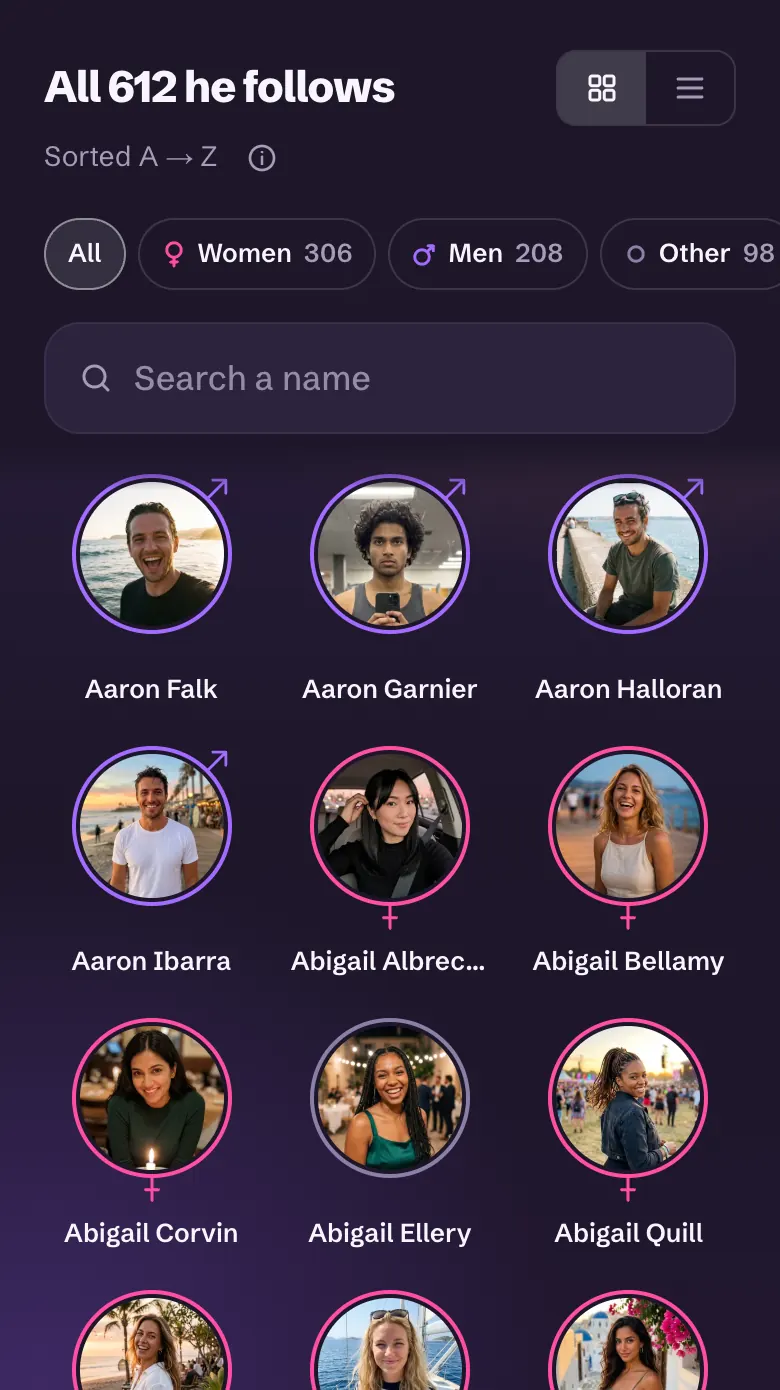
Every account they follow, with a face.
Their whole list, with how many women and how many men. Search a name or filter in one tap.
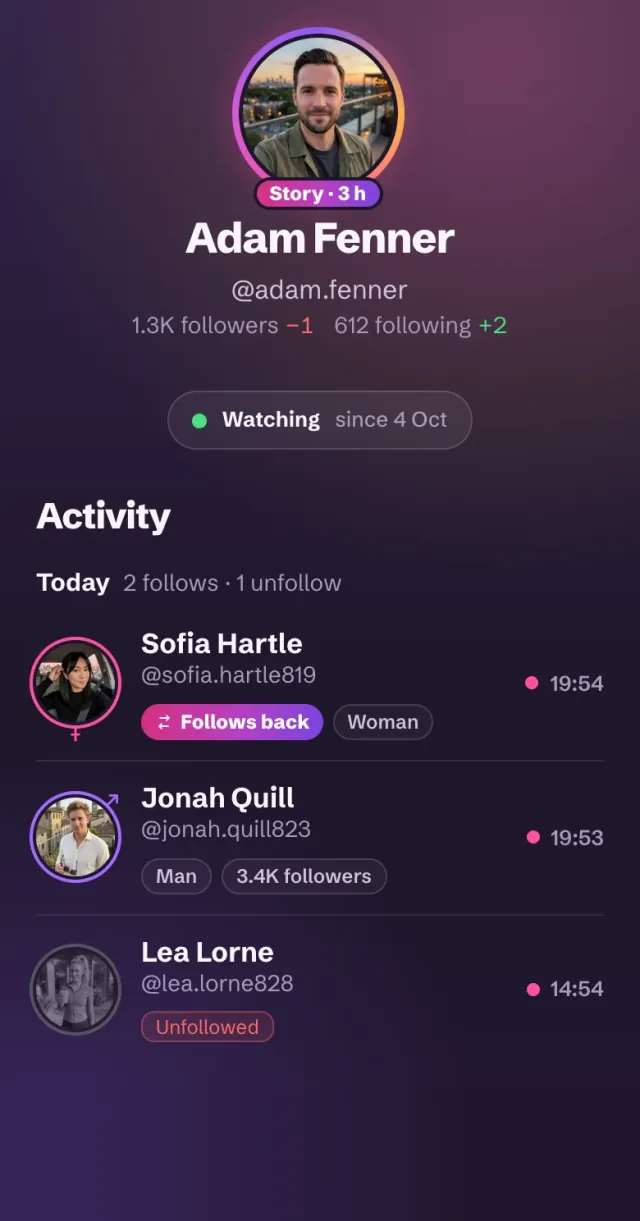
A new story, a new follow? You'll know.
Turn on alerts for their account: a new story, every new follow, a changed bio or photo. A notification on Android, an email on the web.
Questions people ask
How can I view Instagram posts without an account?
Paste their username into the viewer at the top of this page. You see their latest 24 posts and reels, with captions and dates, without logging in or signing up. It works on public accounts.
Can I see someone's Instagram posts without following them?
Yes, if their account is public: its posts are open to everyone, and here you don't even need an account. A private account shows its posts only to the followers it accepted.
Can I see the posts of a private Instagram account?
No. Only the followers it accepted see them, and no site changes that. Paste a link to a private account's post and you get its name, photo and counts, nothing more.
Does Instagram notify someone when you view their post?
No. Instagram tells nobody who looked at a post or a reel. Only stories have a list of viewers, and watching them here doesn't put you in it.
How do I see someone's older Instagram posts?
Paste the post's link. The viewer opens that exact post, however old, with the rest of their grid behind it. Without a link, the grid goes back 24 posts.
Is there an Instagram reels viewer?
This one. Reels sit in the grid with the posts: tap one to play it with sound, with its caption and view count. A reel link opens that reel directly.
Can I download Instagram posts or reels here?
No. FollowBell shows posts and reels on this page and downloads none of them. Every post has a link to open it on Instagram.
Posts, stories and alerts, in one place.
In your browser or on Android. No Instagram login.