 FollowBell
Type their username into our free story viewer. Their highlights show up under their current stories, with no Instagram account and without appearing in their viewer list.
It works on public accounts. On a private account, only their followers see them.
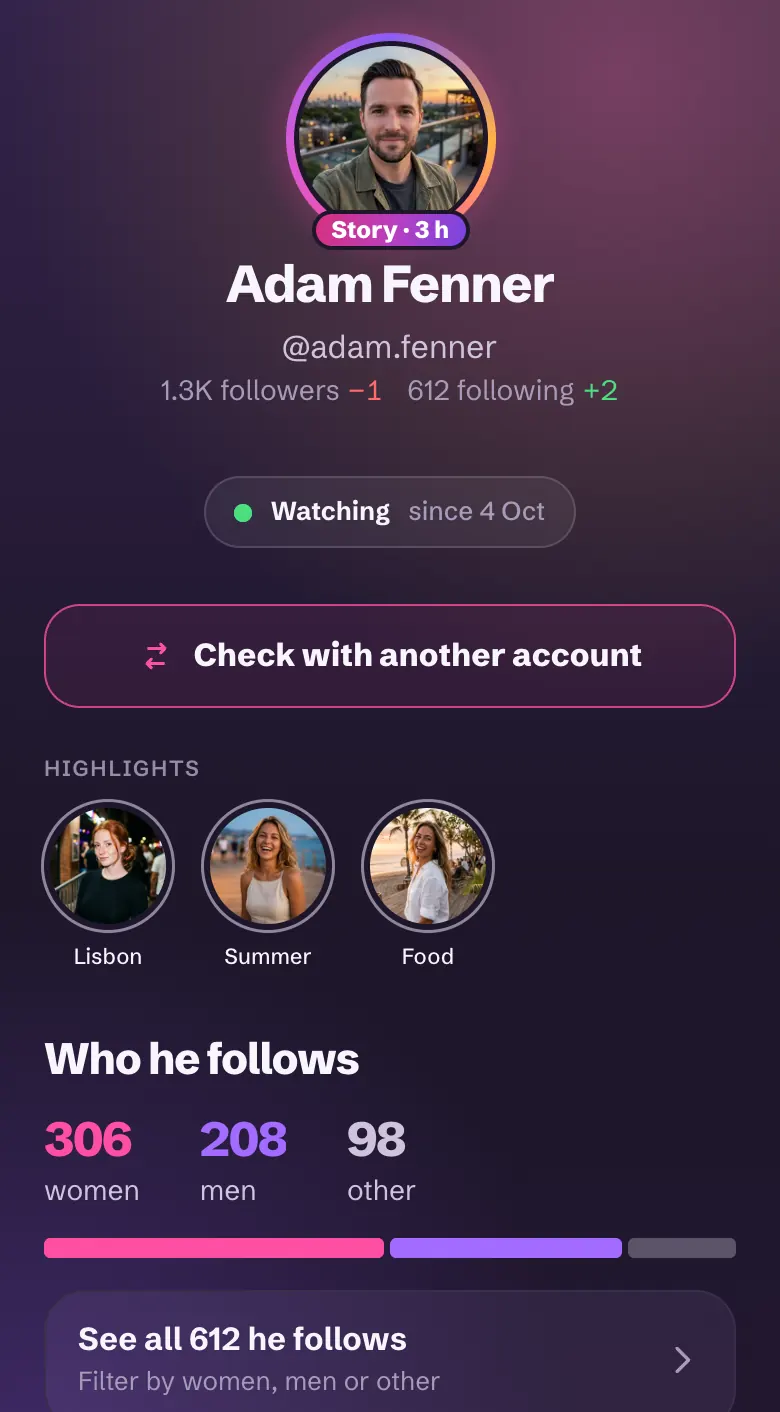

What are Instagram highlights?
They're the stories someone keeps on their profile, in the circles under their bio: holidays, friends, a city. They stay until the person removes them.
A normal story disappears after 24 hours. Highlights stay. That's often where you learn the most about someone.
How to view Instagram highlights without an account
- On Instagram: logged in, you tap and watch, but it's your account doing the watching. Logged out, the site soon asks you to sign in.
- With a highlights viewer: like our free viewer, you type the username and watch. No Instagram account is involved.
- With FollowBell: their highlights are on their page, with everything else. And you get an alert when they post a new story.
Can someone see that you viewed their highlights?
No. Only logged-in Instagram accounts show up in the viewer list. You're not logged into any, so you're not on it.
What FollowBell shows you
- Their highlights, in a row on their page.
- When each story was posted: the month for older ones, the days for recent ones.
- The highlights of accounts they just followed: tap a name.
- Their current stories, in the same player.
FollowBell doesn't download or keep anything.
What stays out of reach
- The highlights of a private account.
- Their archive: the stories they didn't add to a highlight.
- Close Friends stories.
- Highlights they deleted.
Their highlights, their stories, their new follows
Add their account: you see their highlights, their stories and every new follow. No Instagram login, on Android or in your browser.